
library(jsonlite)
df <- read.csv("codebook.csv")
json <- toJSON(df, pretty = TRUE)
write_json(json,"codebook.json")How to Codebook
How to create a codebook aka. data dictionary
How to Codebook
See the D-Psy-FAIR standard (developed by Blask et al from the Leibniz-Institute Psychology)
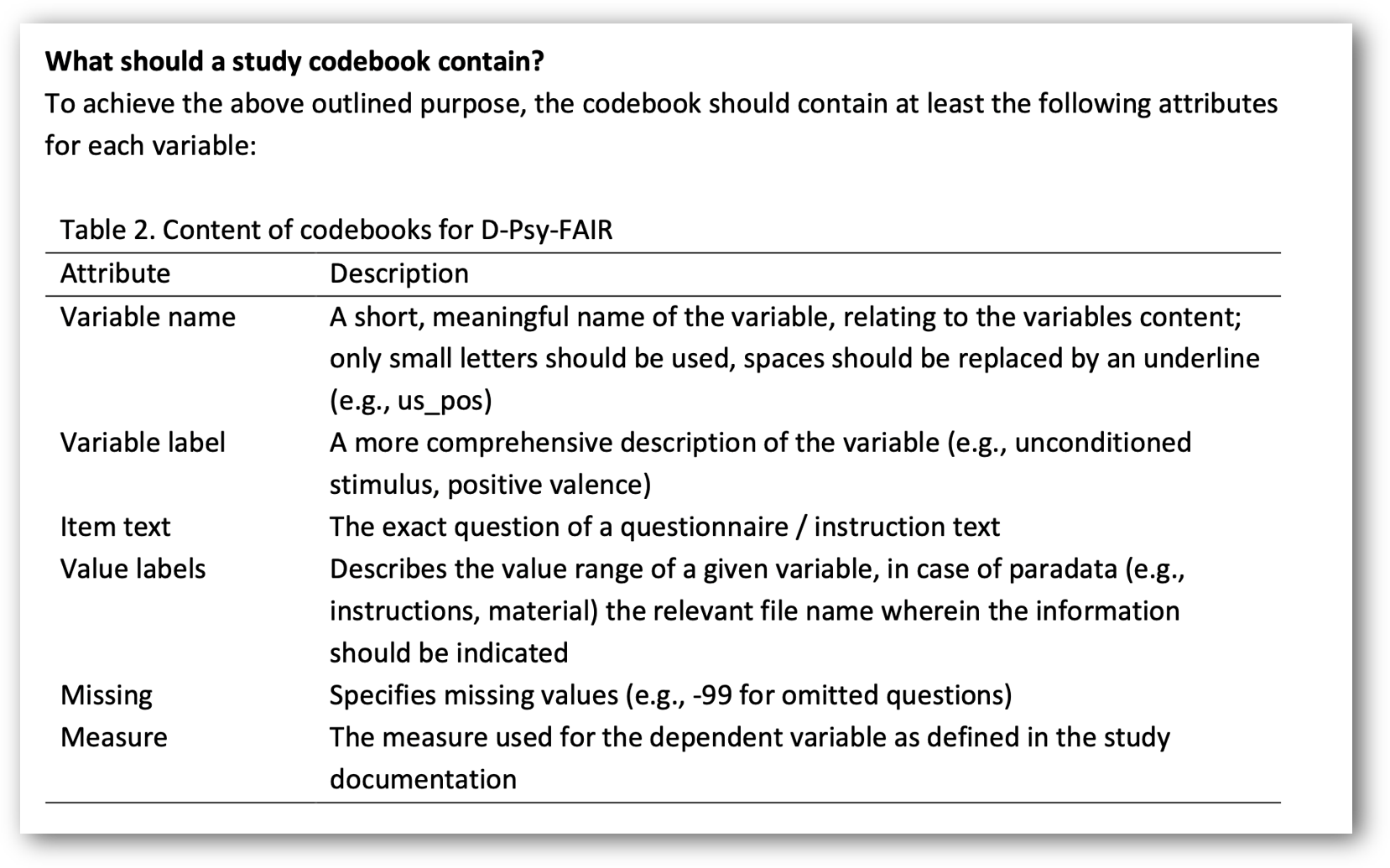
Save in a human-readable (e.g., .csv) and in a machine-readable (e.g., .json) format!
Codebook: Which file format?
Excel file:
Human-readable: ✅ ✅
Machine-readabe: ~
Accessible: ~
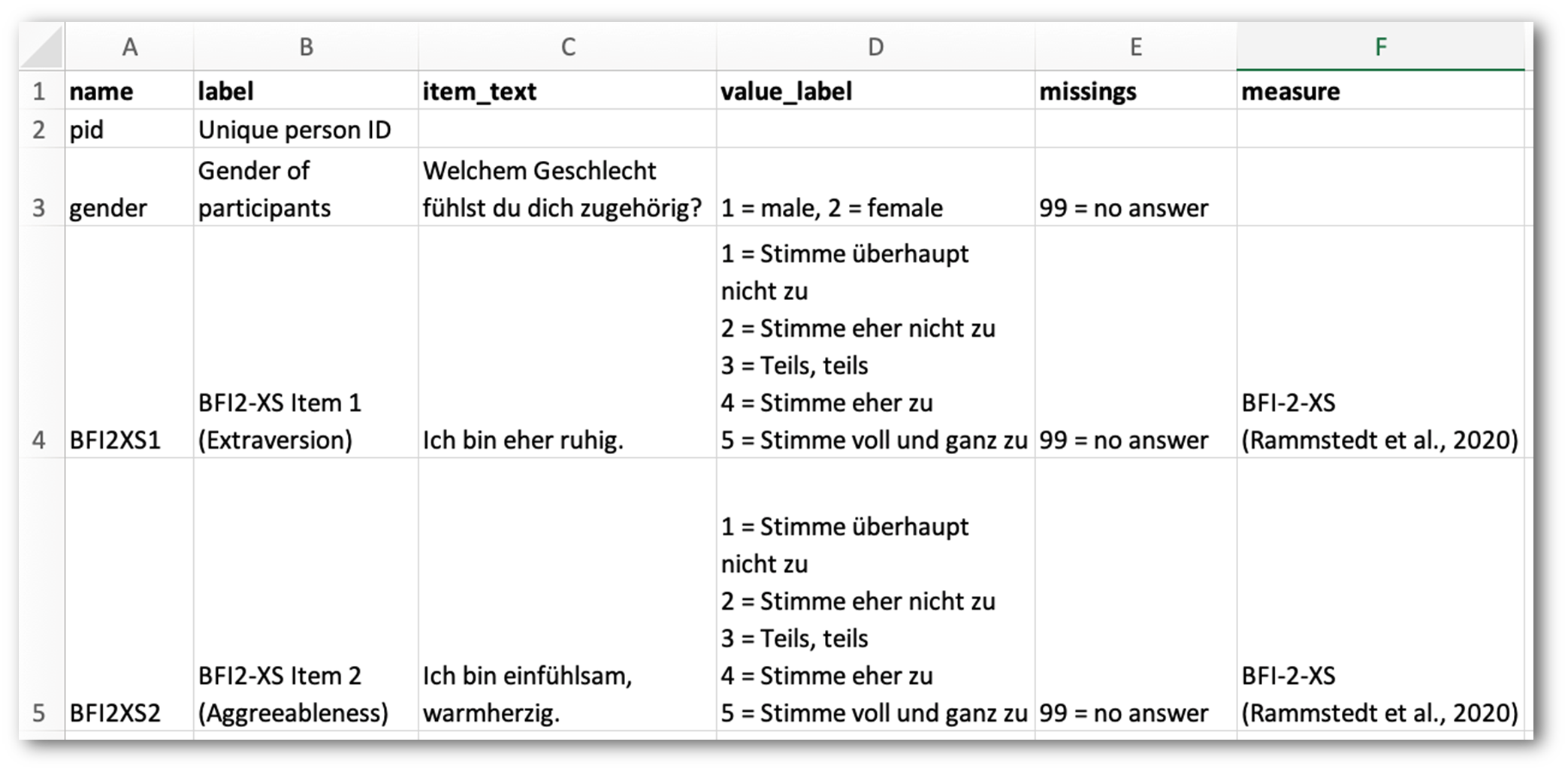
(Note re: “Accessible”: Proprietary file format; but as it is a widely used format, there are multiple open source apps which can open it). A better alternative is the open .ods spreadsheet format (e.g. from LibreOffice)
Codebook: Which file format?
csv file:
Human-readable: ~ (raw) ✅ (after import)
Machine-readable: ✅
Accessible: ✅
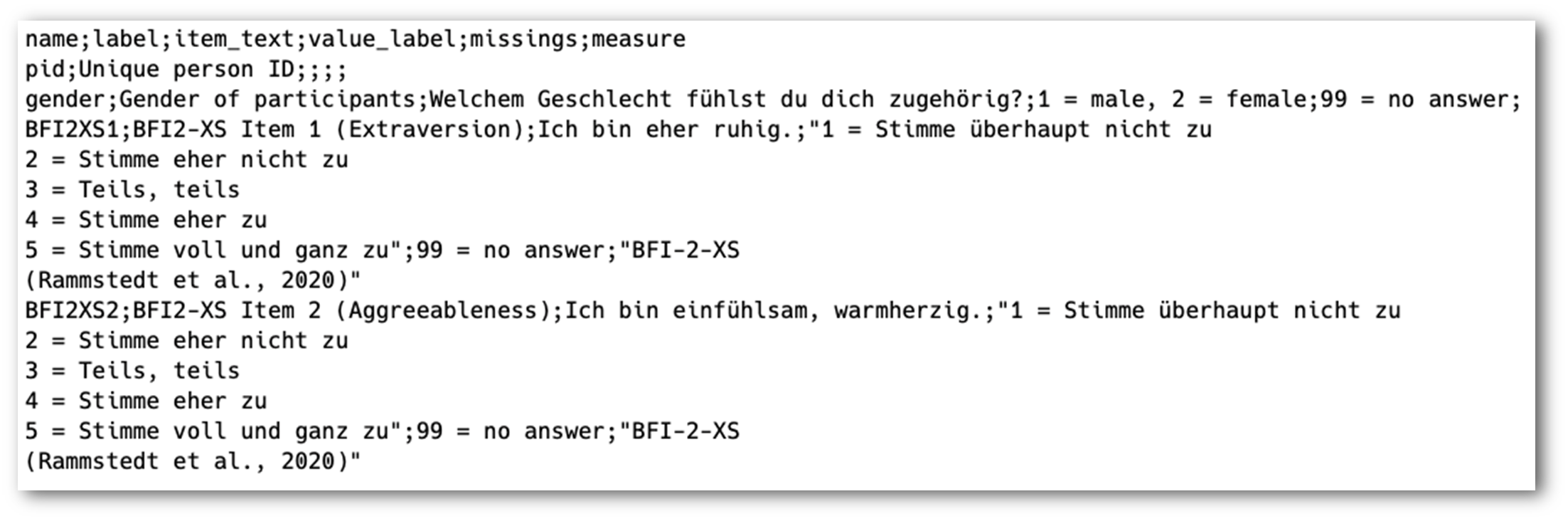
Codebook: Which file format?
json file:
Human-readable: ~ (raw)
Machine-readable: ✅ ✅
Accessible: ✅
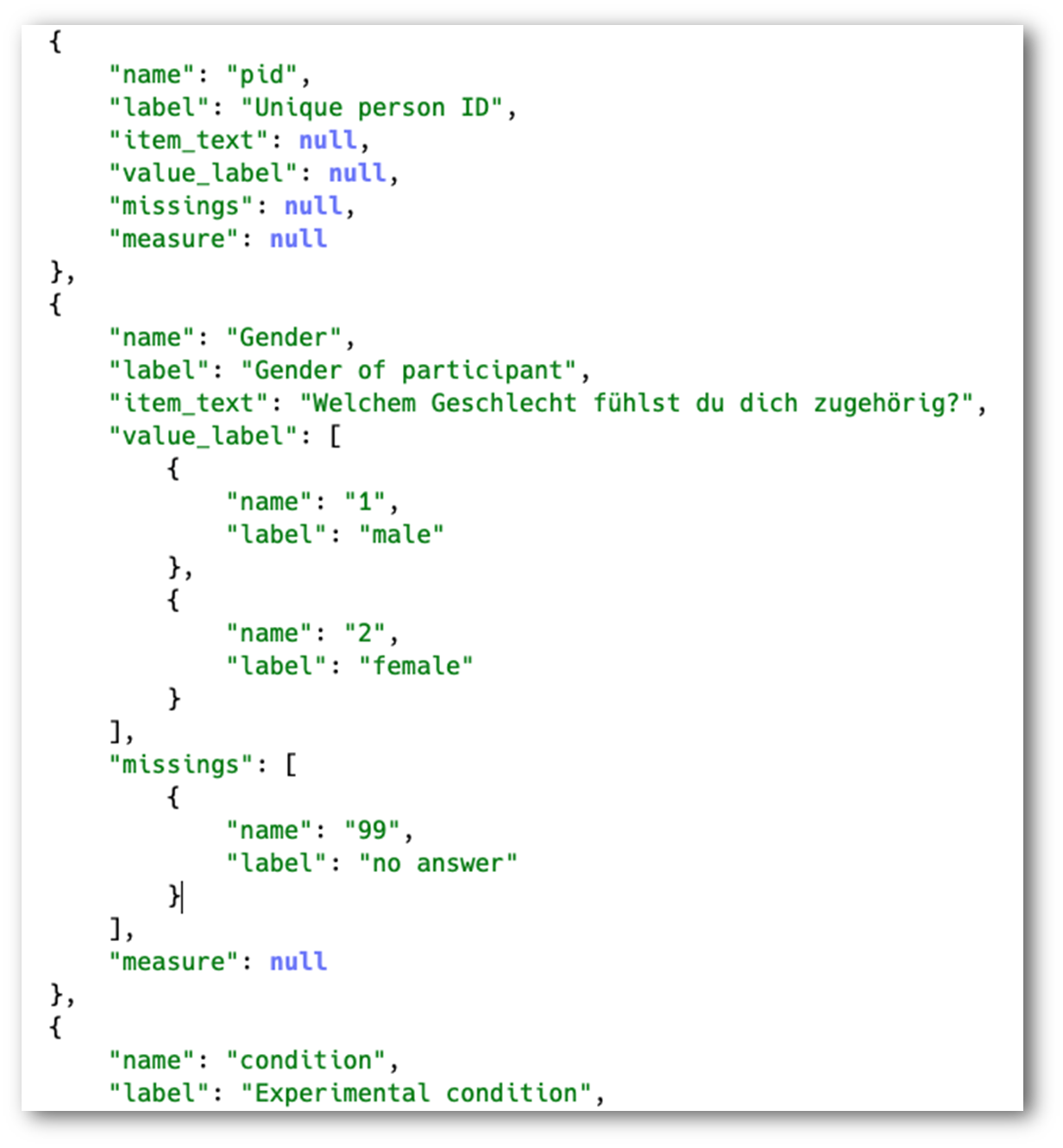
Excursus: json file format
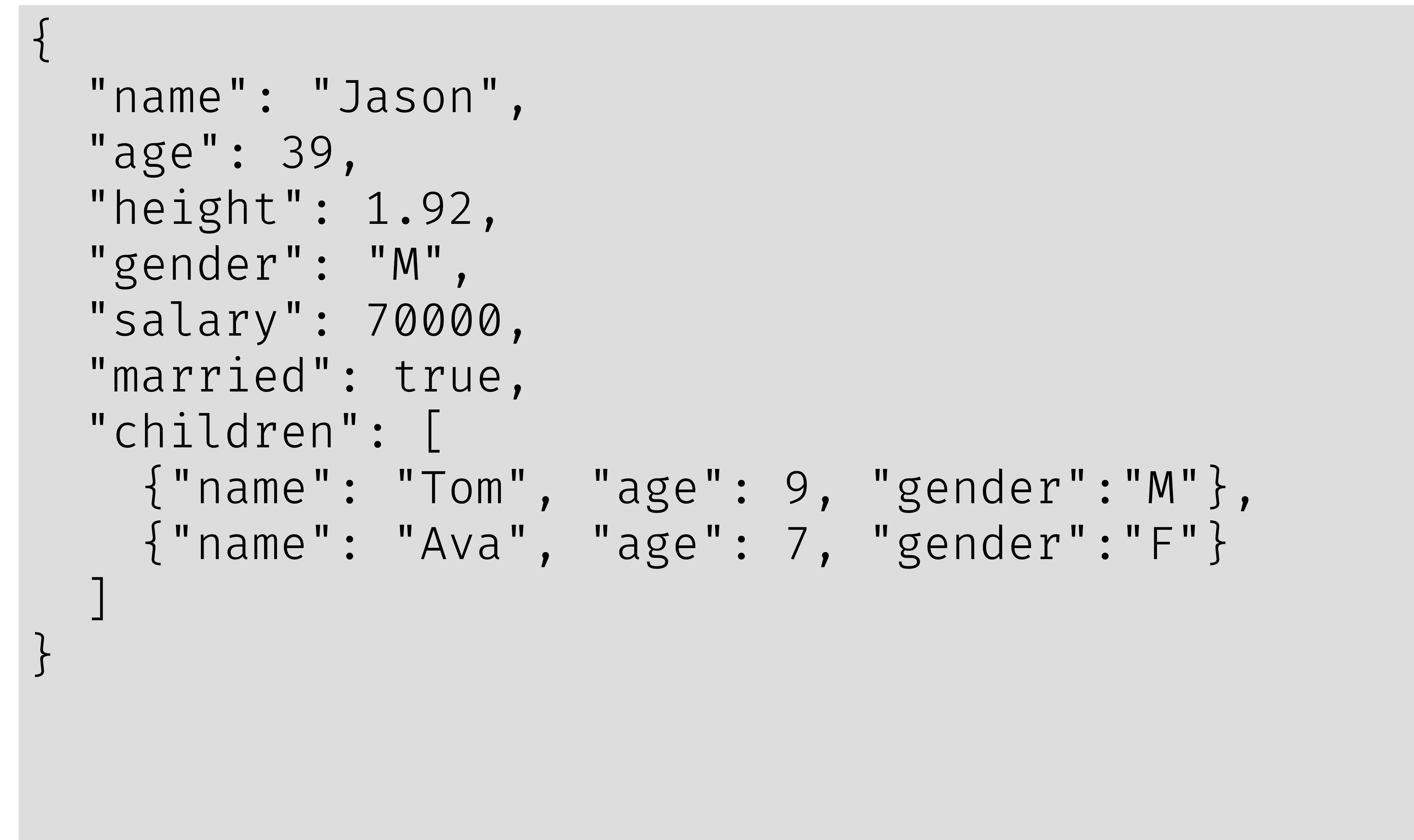
Excursus: json file format
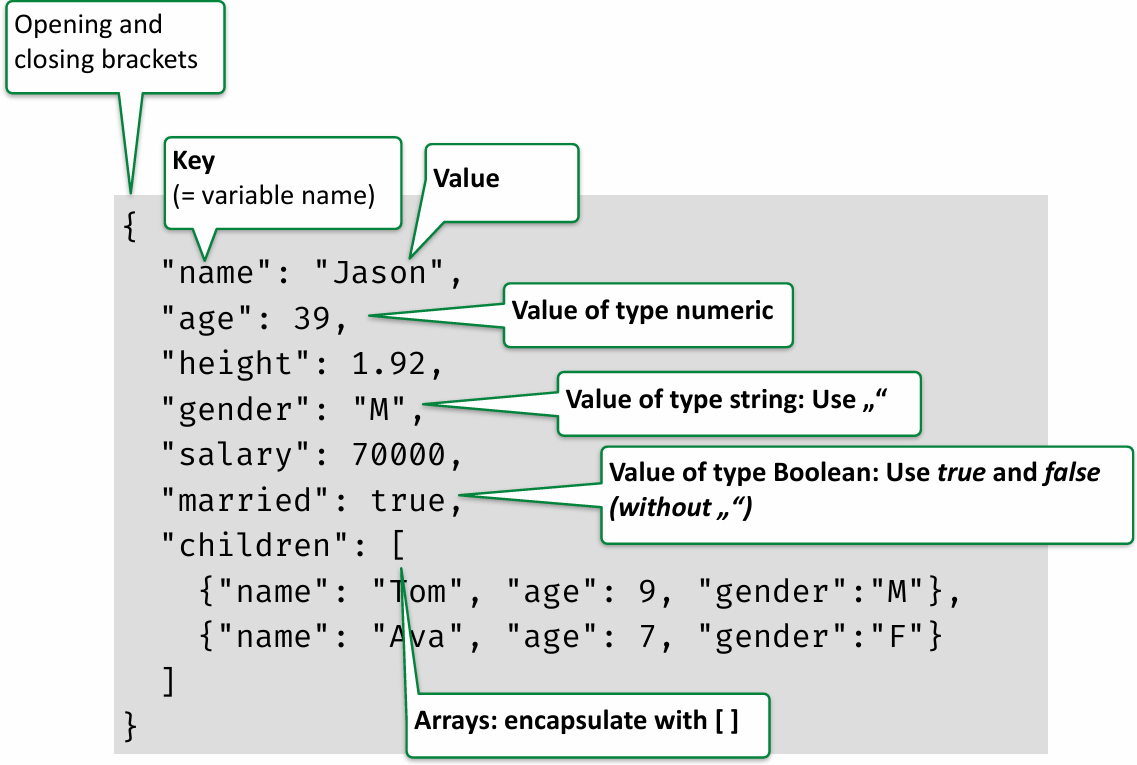
How to Codebook: Manual
- Step 1: Create your codebook as an Excel or LibreOffice spreadsheet file
- Step 2: Export it as a
.csvfile - Step 3: Import into R and convert it to a
.jsonfile
- Step 4: Save both codebook files in the
/docsubfolder of your project - Step 5: Upload both the
.csvand the.json-file to the repository
How to Codebook: DataWiz2
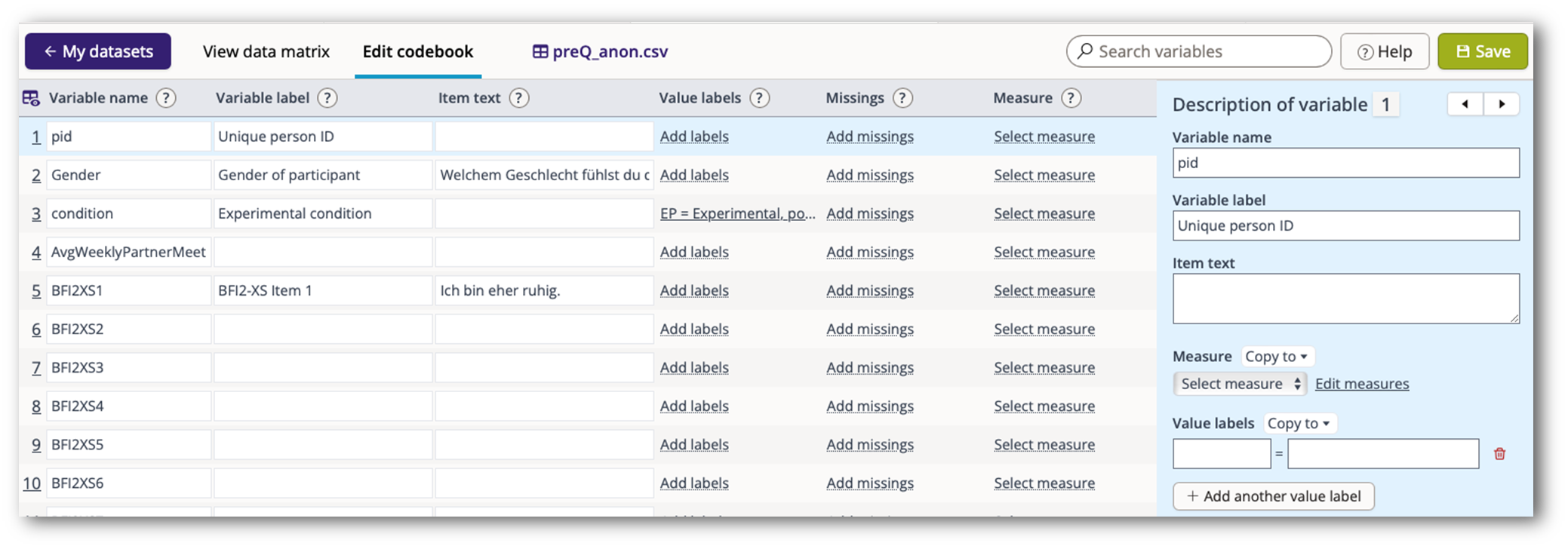
How to Codebook
- Resources:
- Video (51 min.): “PTOS 9: Einführung in das Forschungsdatenmanagement mit D-Psy_FAIR“
– siehe v.a.: „Schritt 2: Ein Codebuch erstellen“ ab 29:27
End
Contact
- @nicebread@scicomm.xyz
- ed.uml.ysp@tdorbneohcs.xilef
- https://www.nicebread.de
- https://github.com/nicebread
